Why does Gyazo open Internet Explorer when I have Chrome as my default browser?
To fix this, please check that the HTTP and HTTPS protocols are associated with Chrome by default on your computer. Sometimes this setting can get changed but it's easy to fix.
Follow the steps for your version of Windows below:
Windows 10
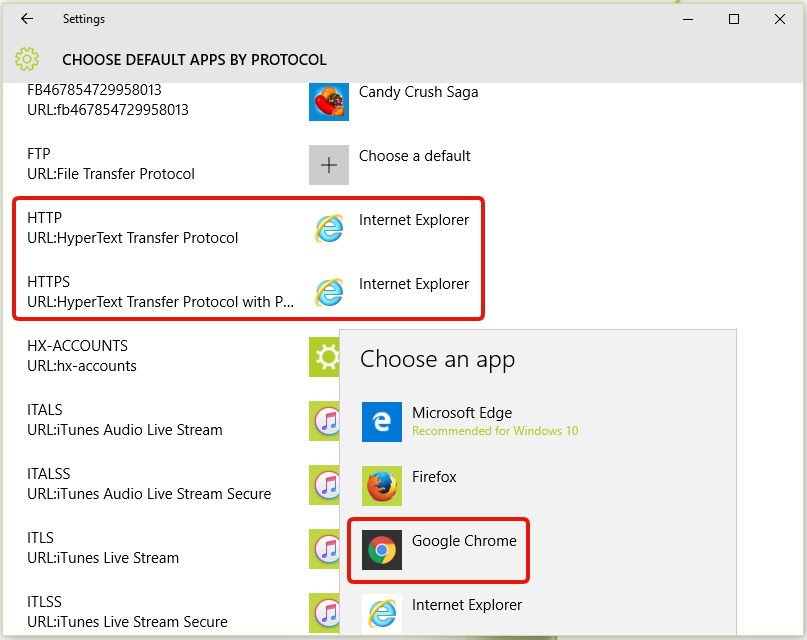
Click Start > Settings > System > Default apps > Choose default apps by protocol .
On the right of " HTTP " and " HTTPS ", choose Google Chrome or other web browser that you want to use to be shown.
Windows 8.1
Click Control Panel > Default Programs > Associate a file type or protocol with a program .
Click " HTTP " and " HTTPS ", then click Change program .
Click Google Chrome or other web browser that you want to use.
Click OK .
Windows 7
Click Start > Default Programs > Associate a file type or protocol with a program .
Click " HTTP " and " HTTPS ", then click Change program .
Click Google Chrome or other web browser that you want to use.
Click OK .