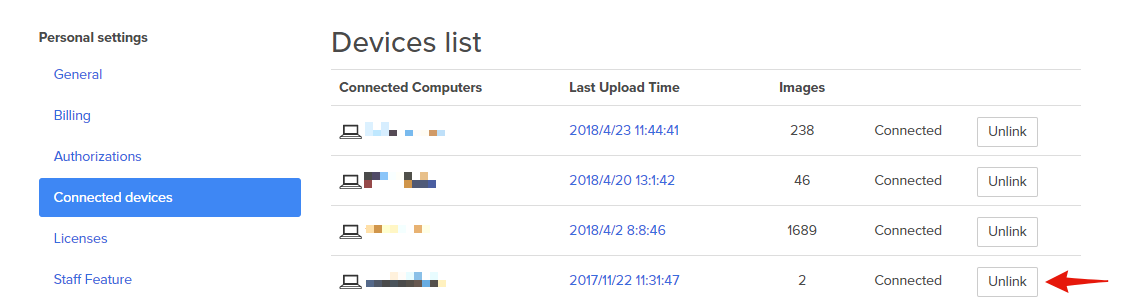
Disconnect a device from your account
To disconnect a device from your account, please go to your Settings page, click
Connected devices , and then next to the device you would like to remove click Unlink .Note: After unlinking, any new uploads from that device will not be deleted but they also will not be stored in your account unless you login again and link the device.